Analysis for Action
Analysis for Action
Analysis for Action
Role
Role
Experience Design Lead
Experience Design Lead
Year
Year
2025
2025
The project itself:
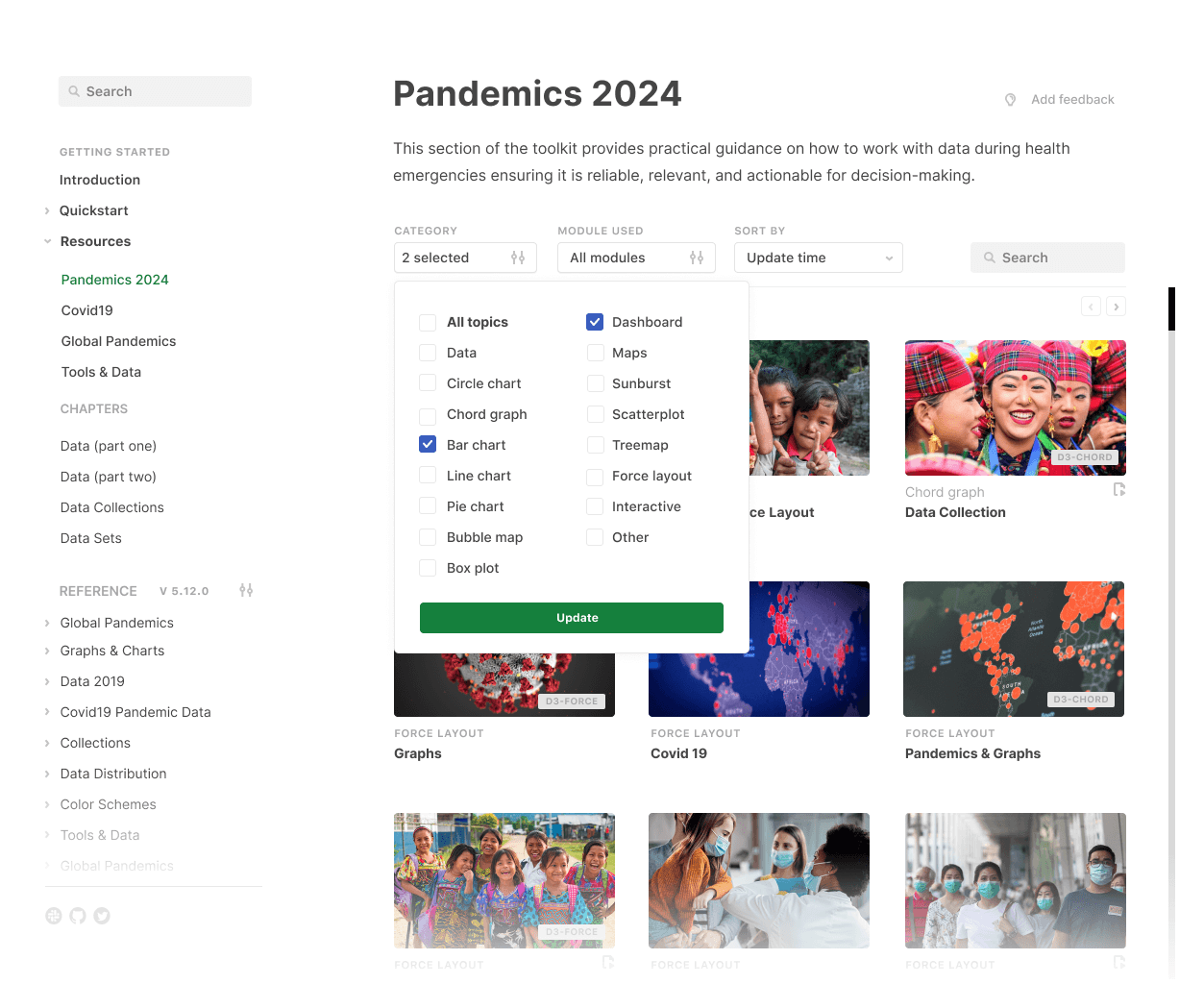
Analysis for Action was a toolkit developed with the Office for National Statistics to support better decision-making during health crises.
In this project, I was working at a big company, with many different moving parts and fast deadlines.
During the COVID-19 pandemic, a critical gap emerged: Data existed but it wasn’t consistently turned into decisions.
The goal was to help governments, analysts, and policymakers translate complex data into timely, actionable insights during pandemics and other national emergencies.
Experience Design Lead.
Leading and conducting research.
Leading design concepts and user journeys.
Communicating with teams on scope, scalability and vision.
Getting started:
It was important for me to have a meeting with everyone to understand what we already knew, our goals and early problematic areas - not just in the design, but in the teams regarding things like scope.
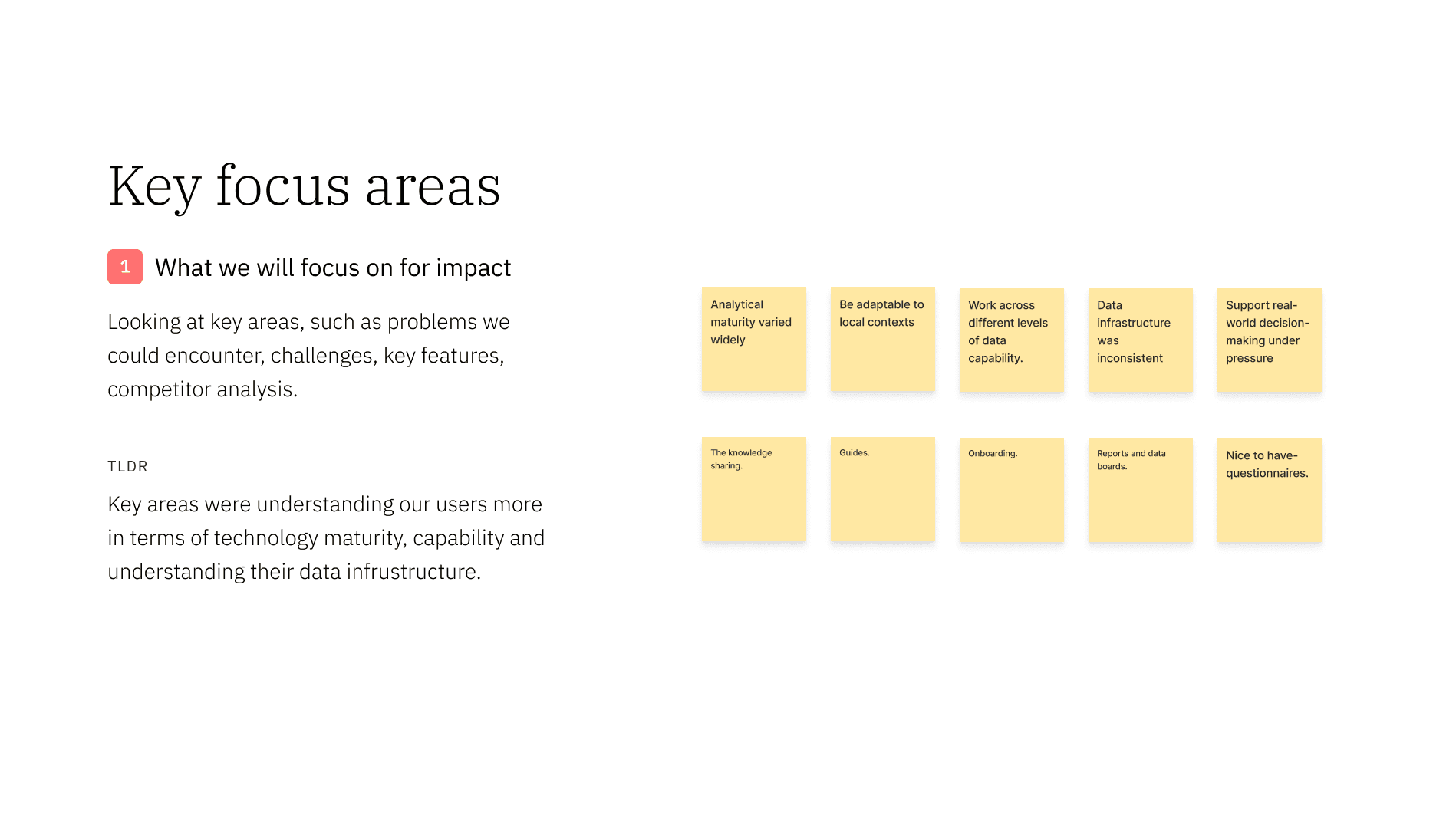

Based on the outcome of these meetings, I could look at some of the problem areas early.
As the toolkit was for various countries, analytical maturity varied widely
Data infrastructure was inconsistent
Internally, Teams felt fragmented in terms of wants and needs for the product
There were some rules to follow early, such as working within strict government compliance requirements at the Office for National Statistics, ensuring designs met accessibility standards by researching and applying guidelines such as WCAG, and embedding inclusive design principles throughout the product.
Understanding the product and how I wanted to utilise research moving forward.
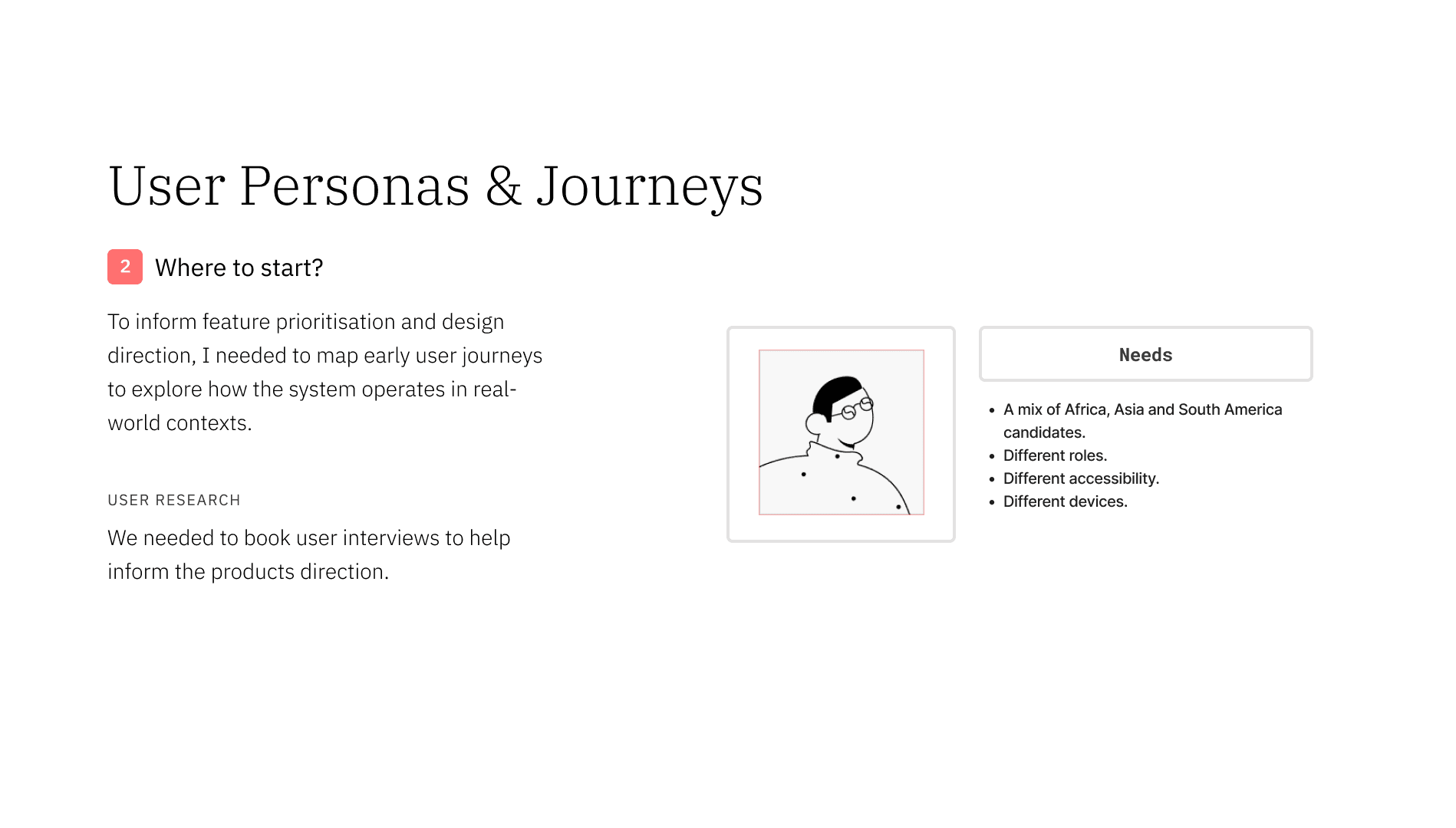
To build a deeper understanding of the product and its context, I led research sessions with the specific users the toolkit was being designed for. The research was structured to uncover how they currently worked with data. Focusing on their existing processes, pain points, and challenges in managing and interpreting information. This helped ground the work in real behaviours, ensuring the solution addressed genuine user needs rather than assumptions.
Approach to research with semi-structured interviews:
7 from Africa, 7 from Asia and 8 from South America.
Remote workshops across time zones.
Collaborative card sorting exercise for the later half as we gathered more data and could show concept examples.
Given the global scope, sessions were adapted to:
Different levels of digital access
Language and communication styles
Cultural expectations around hierarchy and participation
Most on desktop, but some on Mobile. Note: None were available for iPad.
The aim was not just to understand tools and processes, but to uncover: How decisions are actually made under pressure and where analysis breaks down.
I analysed the data from our interviews and created some slides to share with the stakeholders and our team which highlighted potential issues.
Information overload could be an issue.
Finding specific information and data relevant to them and their role.
Cultural imagery and brand. Ie, people didn't feel it represented them.
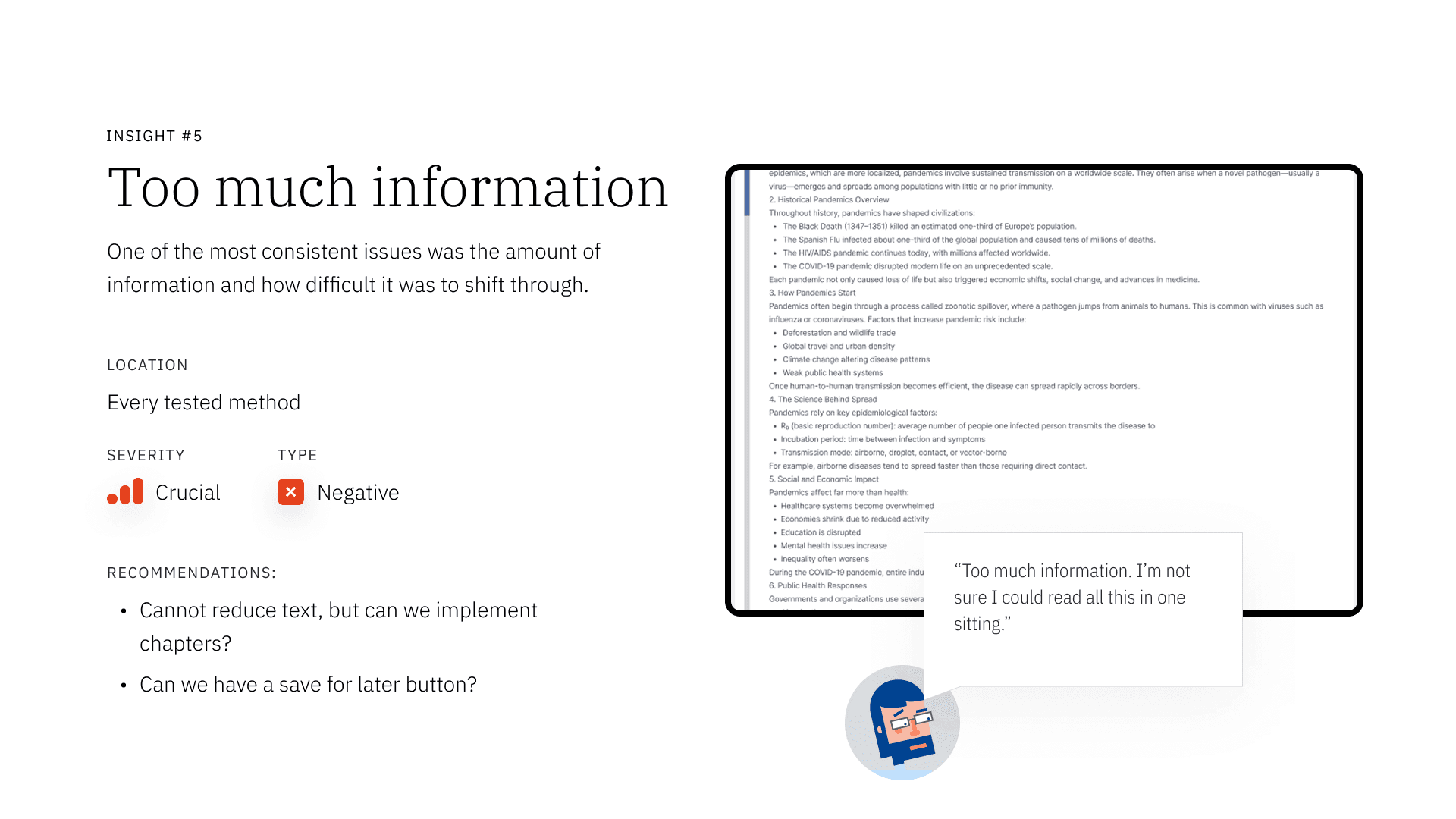
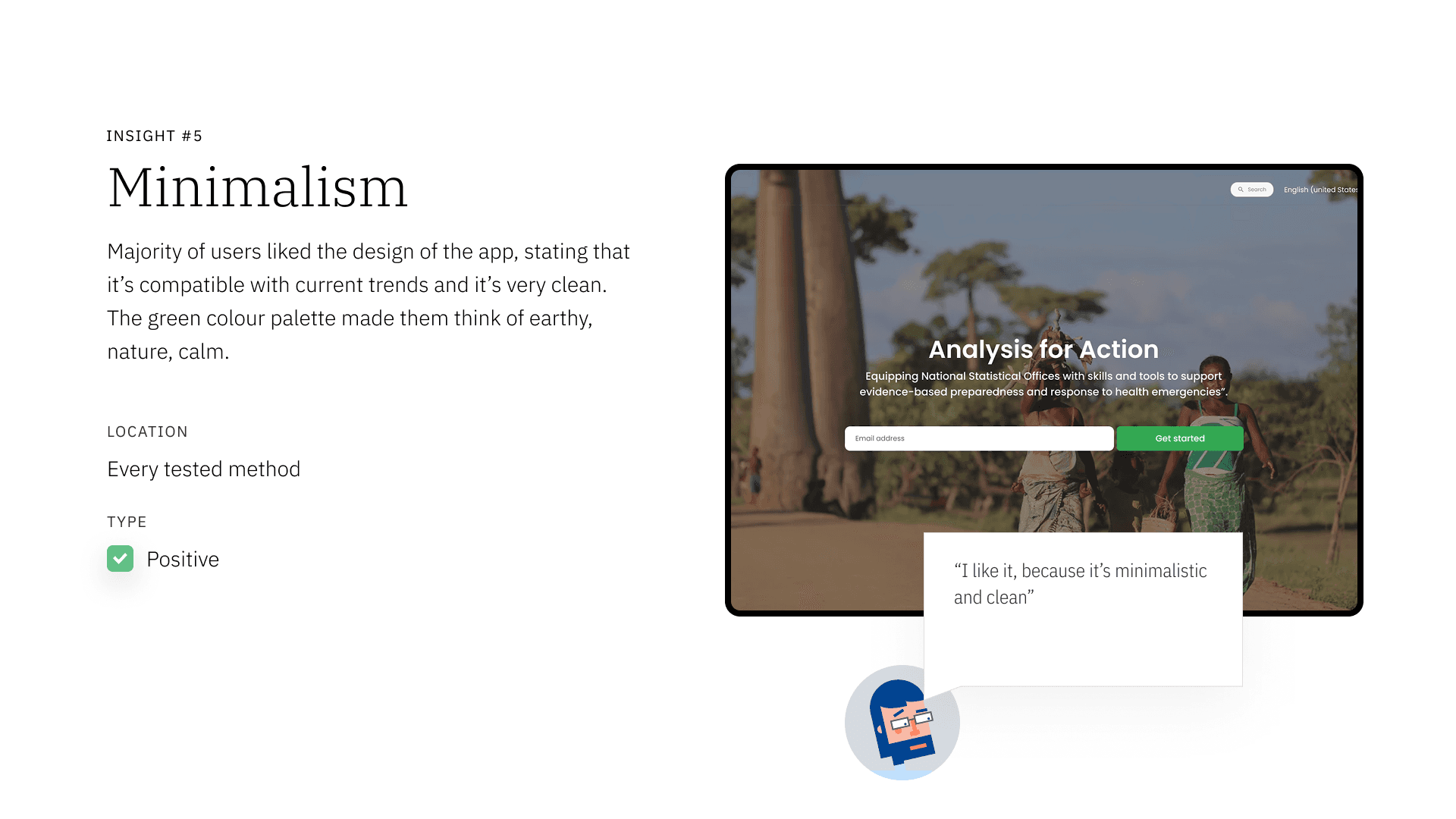
Based on research so far, I could begin mapping some early journeys to begin understanding how this would work end-to-end.
Designing for the System and not the parts.
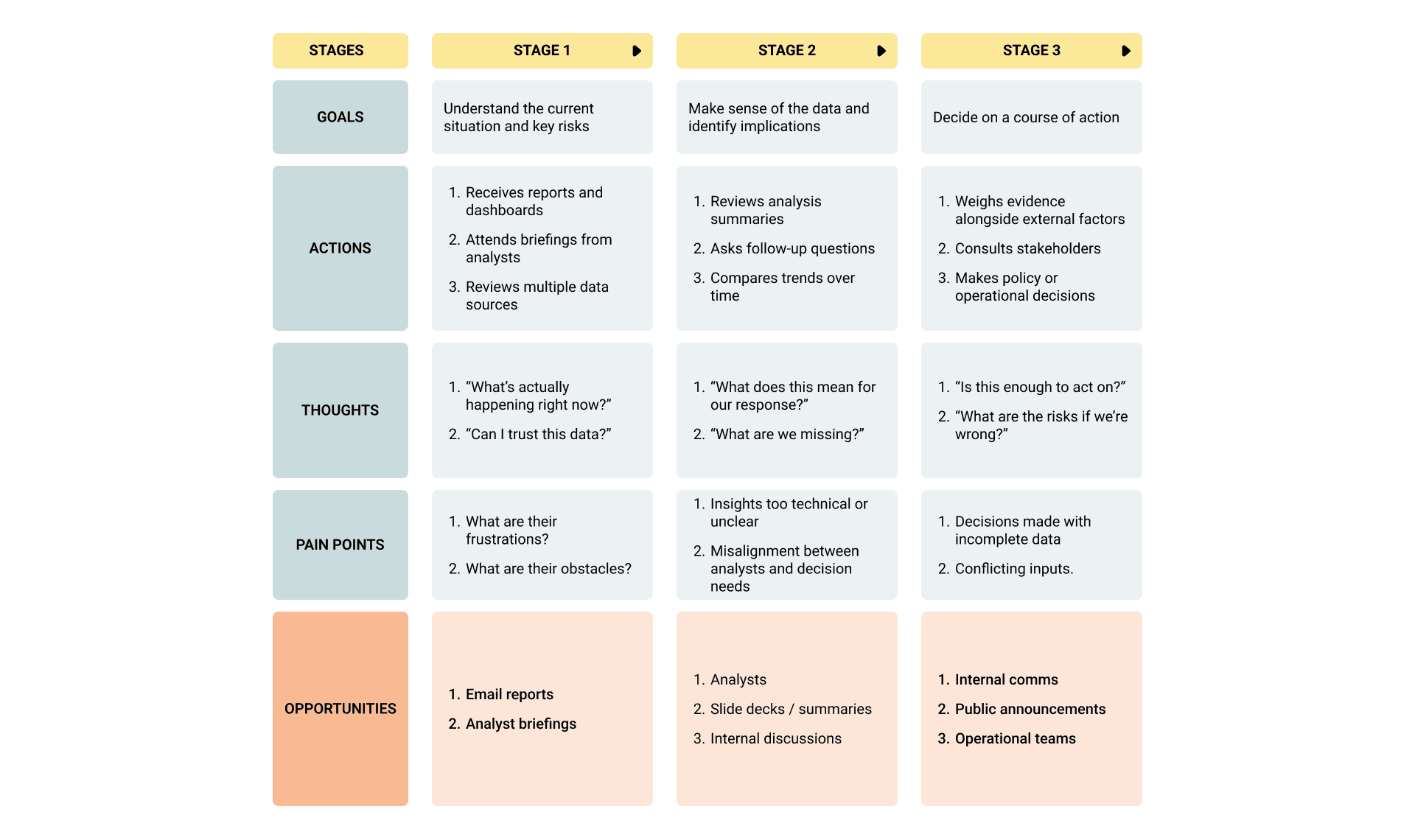
To avoid creating a fragmented product, I mapped user journeys early in the exploration phase. This would be something to continually revisit, but it helped the stakeholders grasp how big the project was getting visually.
Rather than focusing on isolated touch points, I looked at how users moved across the entire system, from data input through to decision-making and action.
This helped surface early on:
Dependencies between roles, tools, and processes.
Gaps where information was lost or misinterpreted.
The extent to how much information could be in this toolkit.
By visualising these journeys early, I was able to:
Ensure alignment between different parts of the experience.
Design with flow and continuity, rather than disconnected components.
This approach shifted the focus from:
“What should we build indivdually?” to: “How does the system need to work as a whole?”
From insight to design:
Building on research insights and early journey mapping, I led the design process to translate findings into a cohesive, usable toolkit.
Rather than moving directly to solutions, I used early exploration designs as a way to test how the system could work end-to-end, ensuring alignment and communication between the many teams who needed to be apart of decision making. Part of this was due to time constraints and I felt we needed to learn, fail fast and improve.
Stakeholders raised concerns about scope and gaps, so I started fleshing out flows to try and grasp that visually.
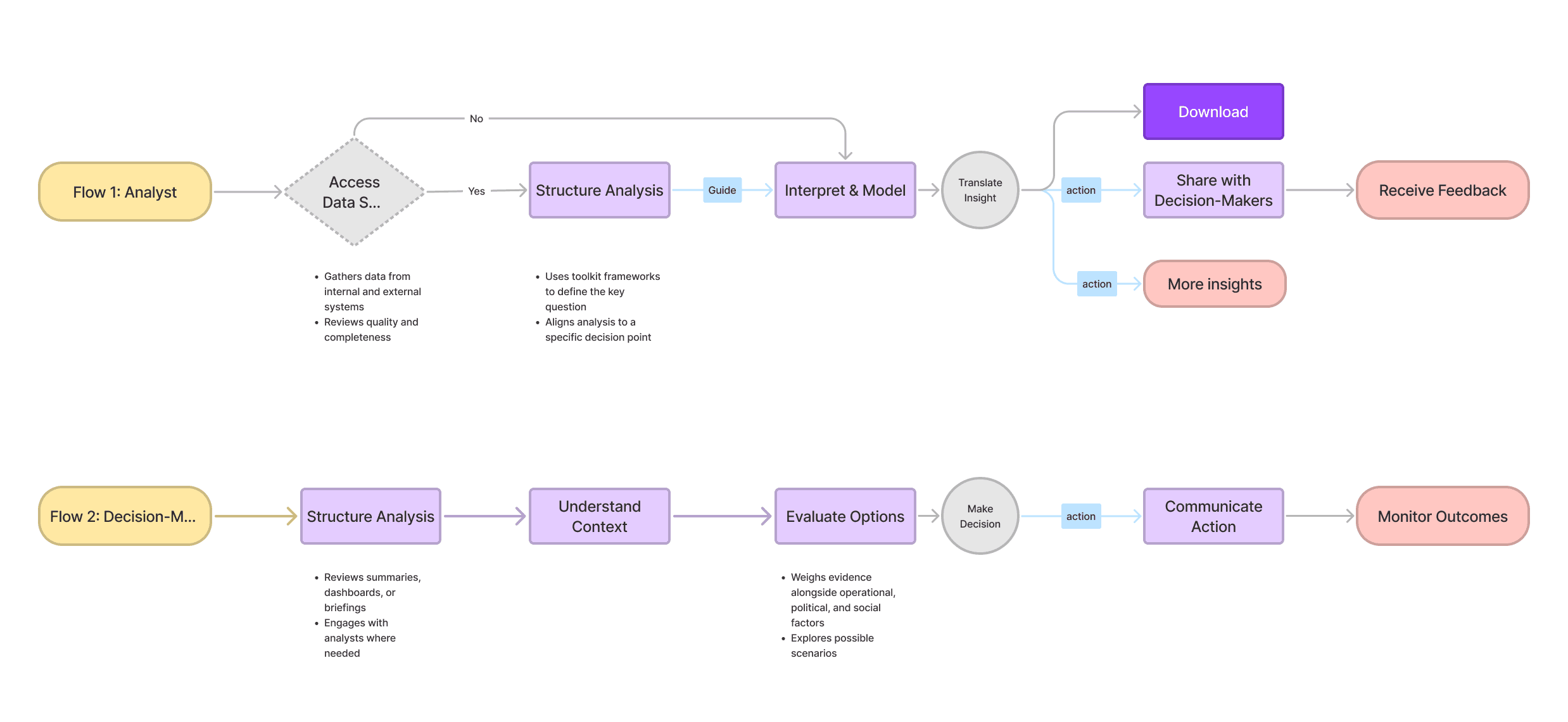
Following research and multiple rounds of design iteration and working with various stakeholders to shape the vision, I then created a blueprint to bring together insights, journeys, and evolving concepts into a single system view.
The aim was to move beyond individual features and define: How the entire system works across roles and touch points.
I used this with Stakeholders to visually reassure them that I was considering possible user flows based on roles. I used this to log anything new that came up from various conversations.
This did help flag some internal issues:
Teams weren't always aligned internally.
Some prioritised different features and flows.
Time constraints meant adapting to a project that needed fast delivery. Process had to reflect this.
With the insights gathered, I created a deck outlining key issues and clear recommendations for improvement and shared this in a meeting with Stakeholders. I would go on to have meetings weekly with key Stakeholders to ensure alignments and move things forward.
Building on this, I developed early design concepts and worked closely with engineering and UI designers to shape solutions we could take forward into the next round of research.
I utilised AI, Lovable, to create a prototype from the Figma UI we created. This was to help scope with developers on areas that was less problematic and allowed us to have better communication in terms of how to build it.
Pro tip: I used early exploration designs as a way to test how the system could work end-to-end. This was to ensure alignment between analysis, communication, and decision-making.
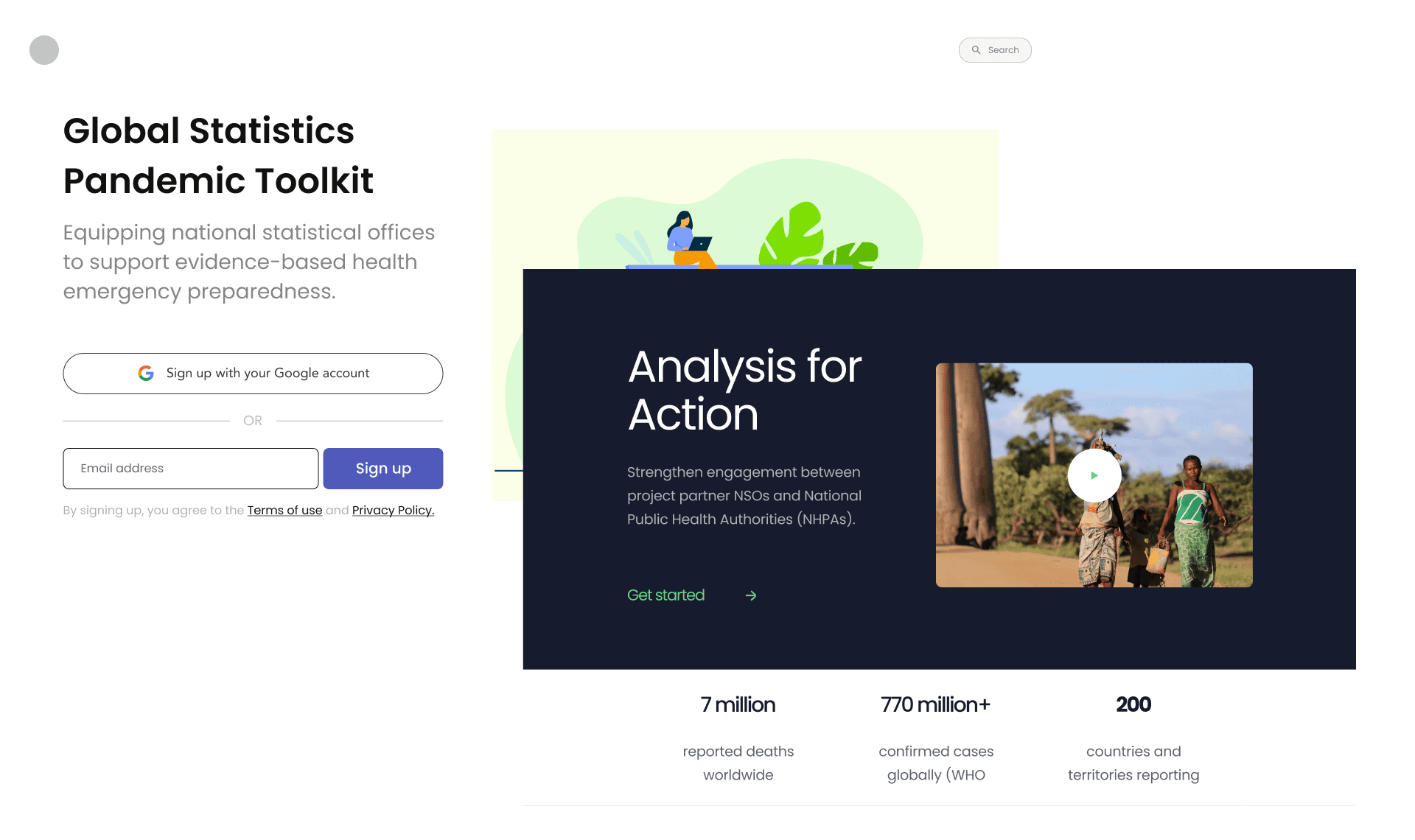
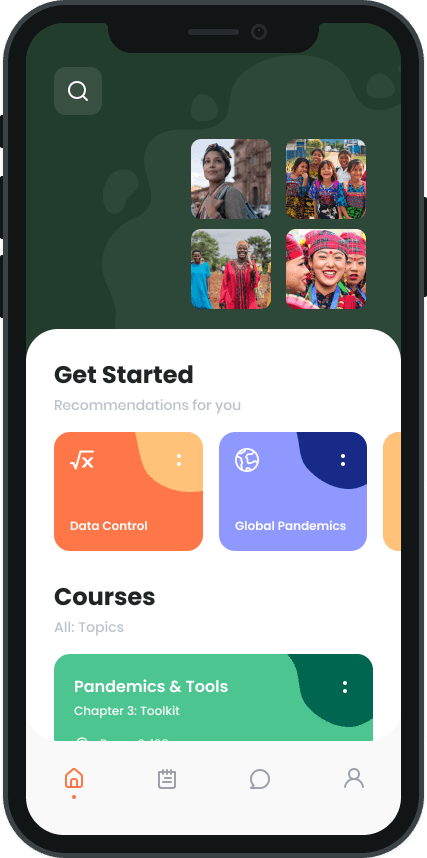
A focus on different landing screens, brand and that initial onboarding journey.
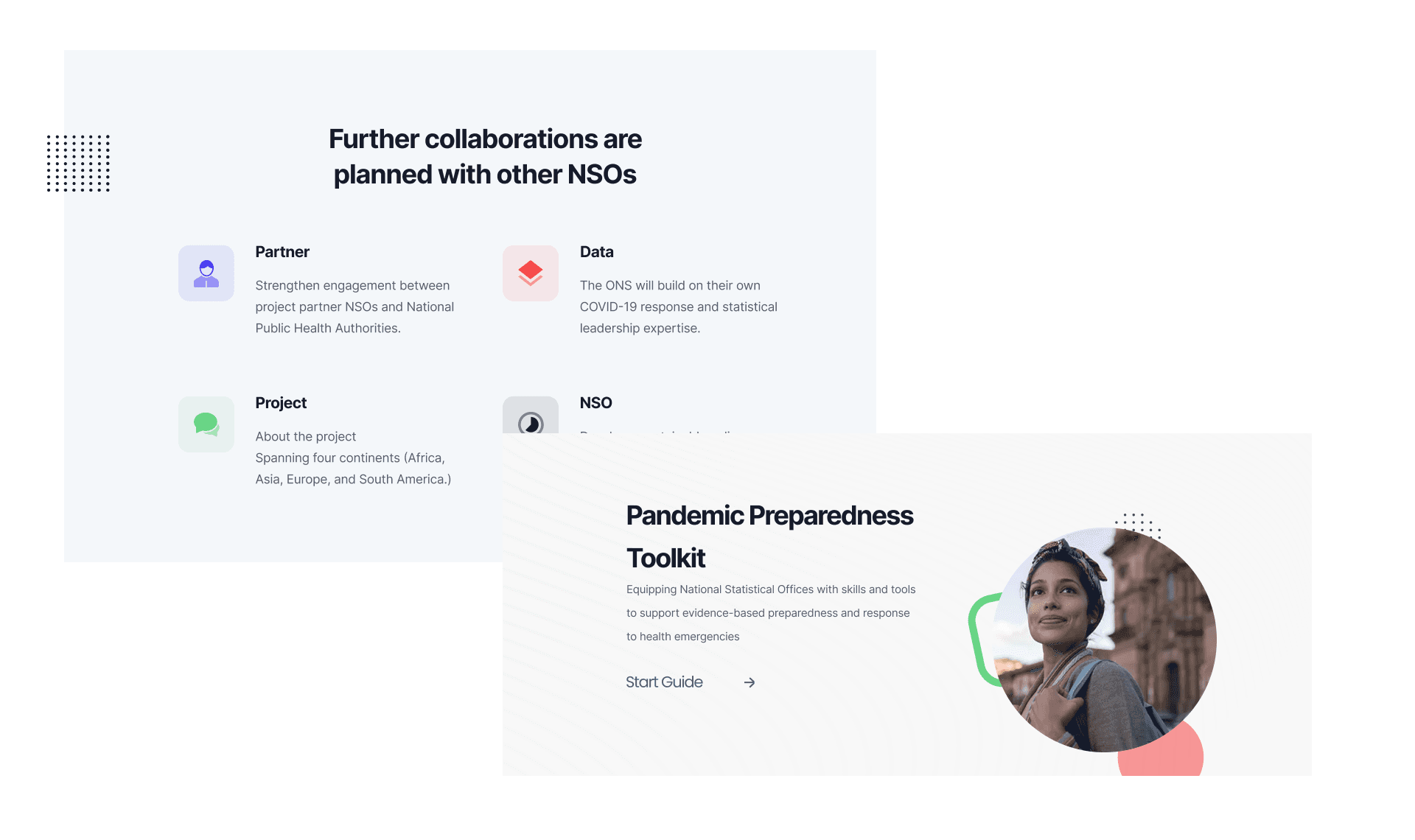
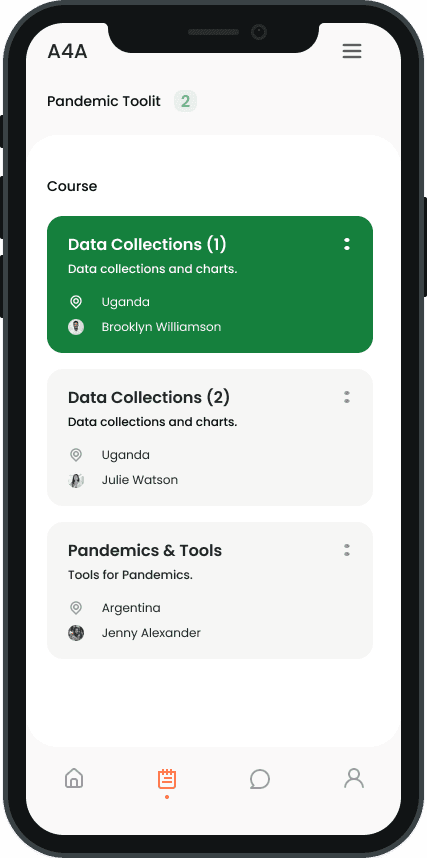
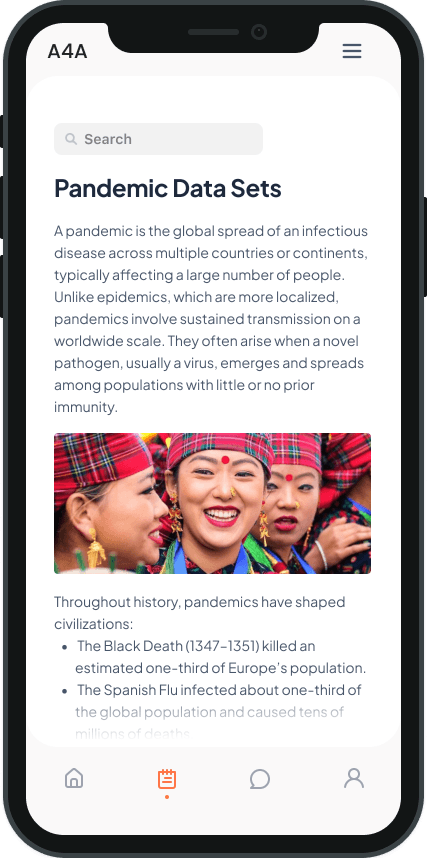
Structuring pages within the Toolkit. How to navigate, search and go through a lot of information.
Working to a tight deadline, I led prioritisation and decision-making to deliver a complete user journey for testing.
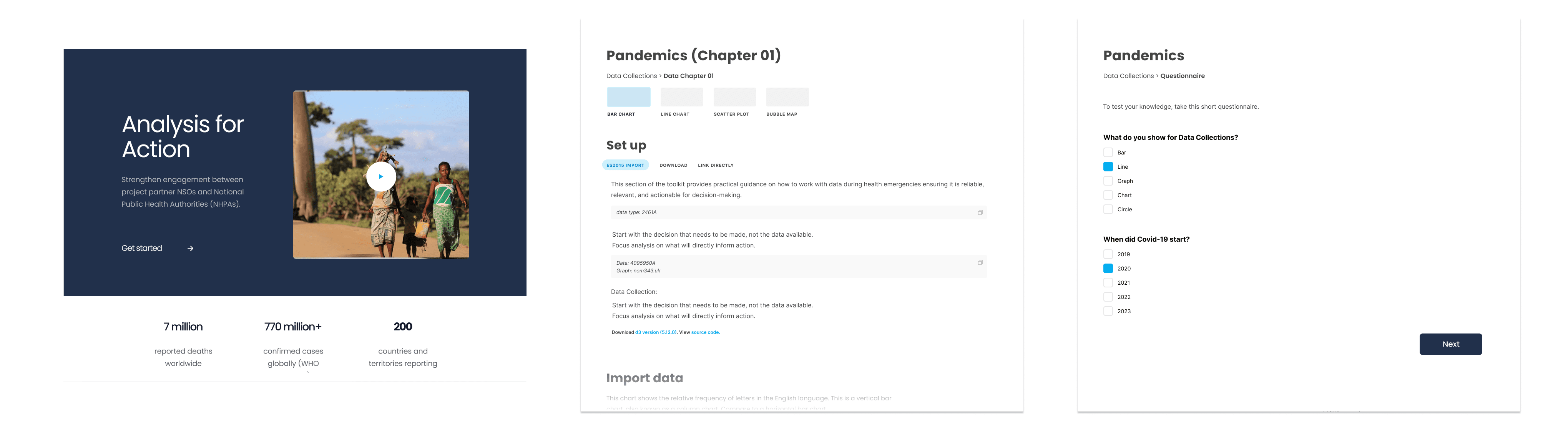
What testing surfaced as problematic:
Users didn't like the questionnaire part. They felt it was too immature. This was expected, as this didn't come from a users need, but a stakeholders want.
Navigation was too fragmented. It could be difficult to find the data you wanted. Using search didn't always work, as they didn't always know what they were looking for exactly.
Brand didn't seem representative, specifically when speaking with the South Americans due to the imagery not feeling relatable.
A lot of the issues seemed to come from navigation, so I made revisiting this high priority.
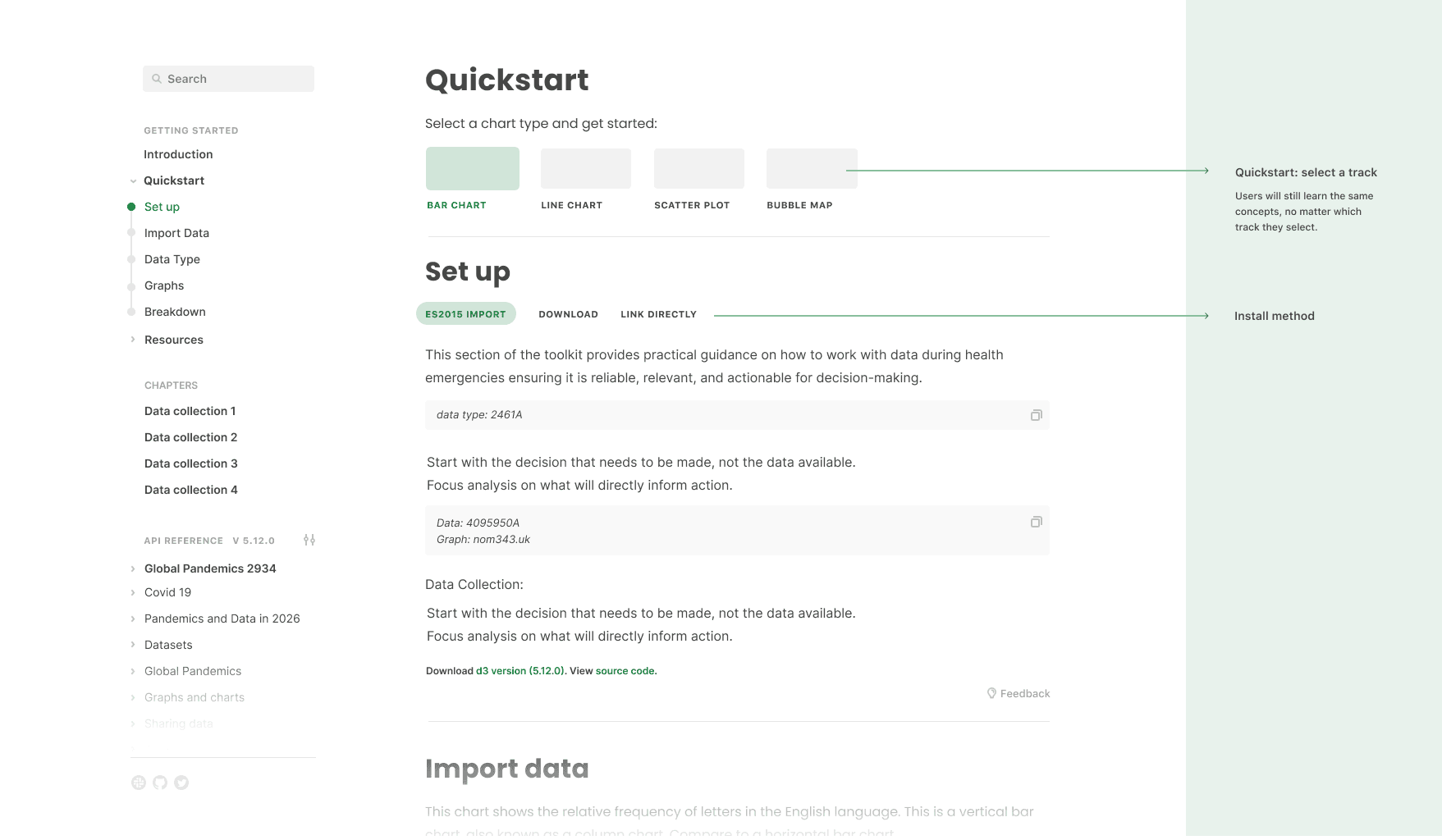
The project had a lot of constraints. Stakeholder, time and scope to be delivered which meant trade-offs came up quite a lot.
Stakeholders vs users was where a lot of the trade-offs came from.
Users wanted less information. Stakeholders felt it was all too important to cut.
None of the users I researched with wanted to do the questionnaires. Stakeholders didn't want to cut it because it was analytics.
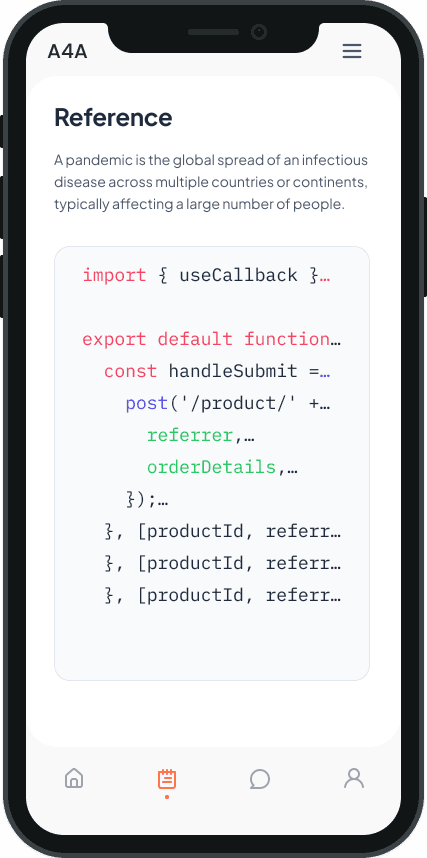
I handled this by finding compromises and middle grounds. Treating the product as a documentation tool helped so information wasn't cut, but organised. Questionnaires were skippable. It's not the ideal user experience, but having worked closely with business, I see that a product needs to fit a business vision and it's not just what users want. A great quote from Henry Ford: 'If I asked what users wanted, they'd say faster horses.'
So it's learning to juggle those requirements with research in a way that moves the product forward.
The project required close collaboration with:
Analysts and subject matter experts
Policy stakeholders
Content and writing teams
Balancing these perspectives required:
Facilitating discussions grounded in research
Finding solutions that were both user-informed and operationally viable
There were moments where:
Time constraints limited deeper exploration
Delivering the most effective outcome within real-world constraints, but still trying to find that ideal solution along the way.
The vision:
I prioritised creating a solution that was:
Clearly structured and easy to navigate.
Grounded in validated research and user journeys.
Flexible enough to adapt across different contexts and future iterations.
Rather than over-polishing individual screens, the focus was on getting the core system and underlying logic right. This was especially important when working closely with developers, as structural issues are the hardest and most costly to change later.
To support alignment, I created documentation to share across teams. Ensuring we were unified not just on what was being designed, but why. This helped:
Maintain consistency through clear principles and rules.
Align teams around a shared vision rather than fragmented screens.
Communicate the product as a cohesive system rather than isolated features.
AI supported multiple stages of this process. Internally, it helped me:
Better understand complex product and technical discussions.
Accelerate early exploration and iteration.
Generate ideas and perspectives during problem-solving and design thinking.
The final output provided a strong foundation for the Office for National Statistics toolkit. Treating it as a documentation tool, which allowed users to navigate through at their own pace. Surfaced information when needed, not just through searches, but filters, dates, etc., for those who don't know what they want.
Reflections:
Metrics showed that we were making improvements over time:
Less clicks and back tracking through behavioural testing.
20min decrease in time spent navigating.
Researching with users doesn't dictate the product. Compromises with stakeholders, internal teams etc shape the product too.
Don't see them as a weekly update. See them as an investment in the product with their own visions. Listen to them. Take them on board.
Time constraints can mean you don't always have time to do things 'by the book.' Sometimes you have to build, iterate and research earlier than you like. Solid foundations matter more than ever.
While the toolkit established a strong foundation, the next phase would focus on scaling, validation, and real-world adoption.
Test the toolkit within live environments across different national contexts.
Strengthen Integration with Existing Systems and Data infrastructure