
The project itself :
Project Overview
I've worked at two automation companies, designing how automation works and how to bring errors and prioritisation to the top.
Blue Prism is one of the founding fathers of Robotic AI Automations and worked with companies like the NHS. Invevo is an automation Fintech company.
Problem:
As automation platforms scale, so does their complexity. And users were expected to manage complex systems without a clear, and cohesive way. Utilising AI would help users explore and make choices with data.
Goal:
The goal was to expand the user base beyond a small number of large enterprise clients, making the product more accessible and appealing to small and medium-sized businesses, while still supporting the needs of larger organisations.
My role:
Working as Head of Design from end-to-end of the product.
Responsibilities:
Leading research.
Leading design.
Product strategy.
All about the user :
Understanding the Product & Aligning Stakeholders
At the start of the project, I focused on building a comprehensive understanding of the product by working closely with stakeholders across the business. This included collaborating with marketing and sales teams to understand how the product is positioned, sold, and demonstrated to customers, as well as engaging with developers to identify technical constraints and existing system limitations.
As we weren’t starting from scratch, it was critical to understand the product’s history. What had already been built, where previous decisions had succeeded or fallen short, and how the product had evolved over time. I also reviewed existing research, data, and user insights to avoid duplicating conversations and to build on prior learnings.
This process helped establish a clear view of the current state and scope of the product, ensuring that design decisions were grounded in both business context and real-world usage, while setting a strong foundation for scalable, informed solutions.
Problems we know so far…
Frankenstien build:
Both products were built incrementally, with features added in isolation rather than as part of a cohesive user journey.
Understanding:
Users lacked a clear mental model of how the system worked
Recovery:
When something went wrong, users couldn’t easily recover
The legacy product & user journeys
Understanding where we are, how we got here, what have we tried, what has failed?
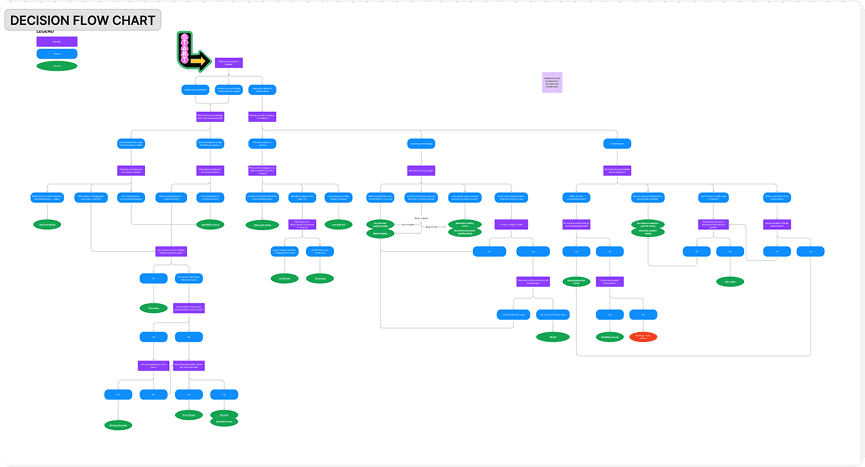
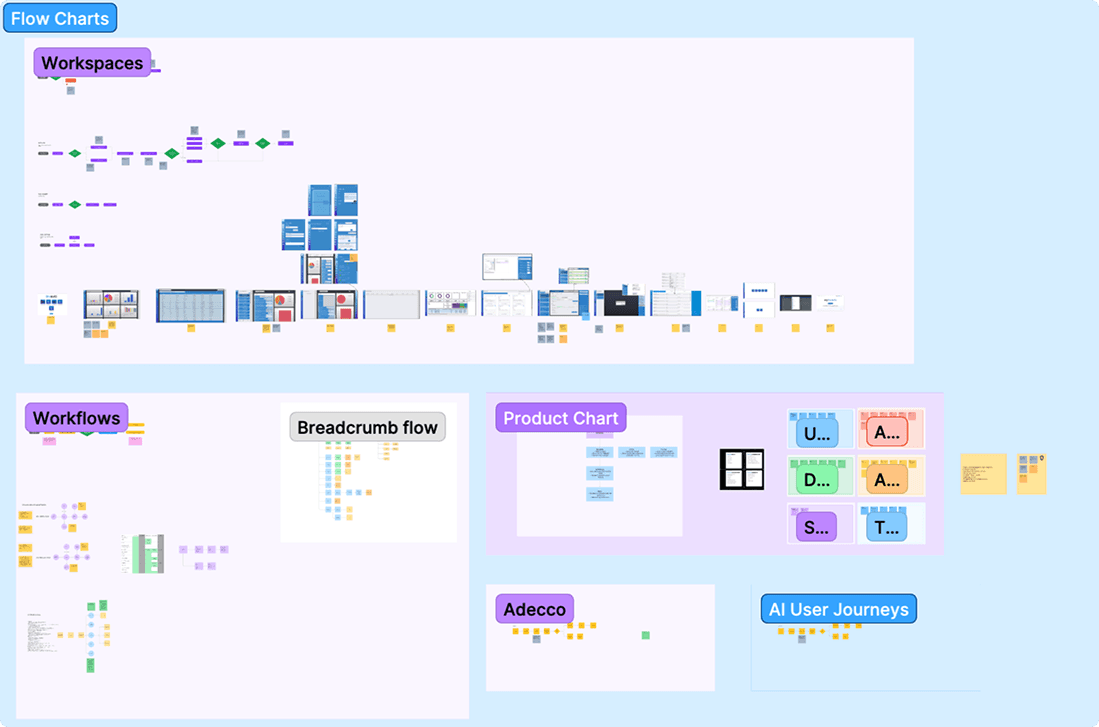

Both platforms operated in technically demanding domains: Robotic process automation and financial intelligence. Where users needed to interpret large volumes of information and take action when something fails.
Rather than treating these as isolated UX problems, I approached them as system design challenges, focusing on how information, workflows, and feedback connect across the product.
Key challenges included:
Information spread across multiple areas, making it difficult to build a clear mental model.
The code wasn't in a good state.
Limited visibility into system state, reducing confidence in actions and outcomes.
High cognitive load when interpreting data or automation logic.
Increasing configurability introducing friction, particularly for new users.
Ultimately, the experience reflected how the system was built, rather than how users needed to work. The system was built with fragmented screens over many years of building on top of building with not too much thought about the end user experience. To understand this, I first looked at the users, and surprisingly a lot didn't have much of a technical background.
Growth without System Thinking…
Building on the mapped journeys, I conducted research to validate assumptions and gain deeper insight into real user behaviour.
Both Blue Prism and Invevo had evolved over many years, resulting in interfaces that felt dated, inconsistent, and increasingly difficult to navigate. I found this from looking at research we already had, such as sales meetings, previous interviews and internal discussions on historical decisions and constraints.
The UI had effectively become a patchwork of decisions made over time and built by different developers, across different periods, often without a shared system or consistent design language. This led to:
Inconsistent components and patterns: multiple versions of similar actions (e.g. buttons) with slight variations
Siloed thinking: features designed in isolation rather than as part of an end-to-end experience
Fragmented user journeys: workflows spread across disconnected areas of the product
Legacy complexity: parts of the system built by teams no longer present, leading to assumptions and uncertainty around how things functioned
Over time, this created not just UX challenges, but also underlying technical risk. Where the system began to resemble a “house of cards”, with layers of logic built on top of one another without a proper foundation.
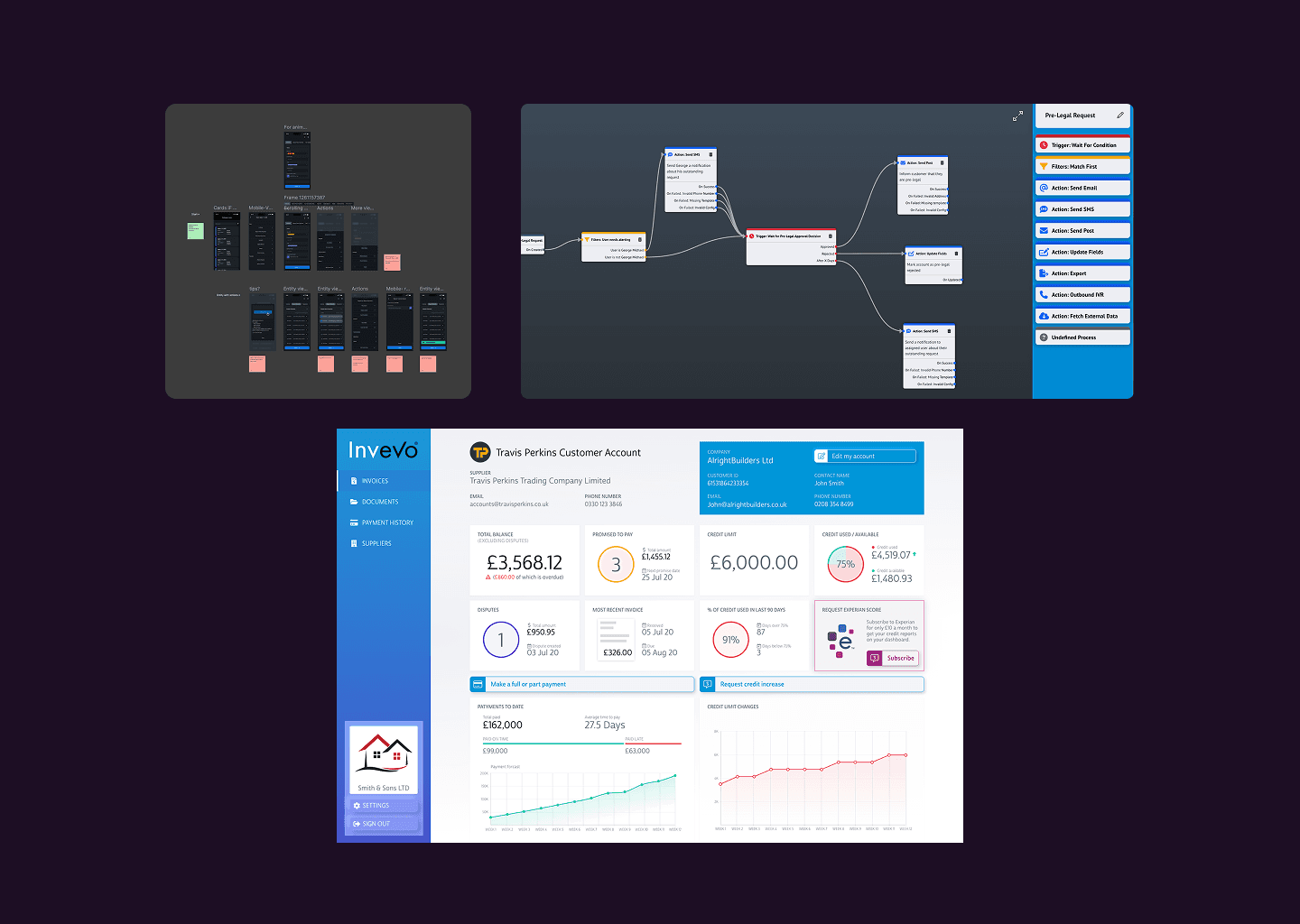
Above is some Automation legacy UI. Fragmented screens with not much consistency.
The project schematically:
Designing for AI with automation
My goal wasn’t just to introduce intelligence, but to make complex systems more useful and usable.
AI solves real problems, not a bolt-on feature
A key challenge was avoiding the trap of adding AI as a feature rather than solving a real problem.
There was often a push toward visible AI patterns. Such as chat interfaces or assistants, but these didn’t always align with how users actually worked.
Through interviews (internal and external) and iteration, it became clear that AI is most effective when it supports workflows, not competes with them.
In many cases, the most valuable use of AI was:
Operating in the background to automate decisions or surface relevant insights
Reducing manual effort without introducing additional interaction layers
Enhancing existing workflows, rather than replacing them
This led to a more considered approach. Where AI was applied with clear purpose, integrated into the system.
AI with purpose
The most effective use of AI wasn’t adding new interfaces. It was removing friction.
AI can be highly effective when it works in the background, supporting users rather than interrupting them. In this context, it was used to:
Highlight customers likely to default (simplify decision-making)
Flag late payments or risky accounts (improve confidence with actions)
Prioritise who to chase first based on value and risk (reduce manual effort)
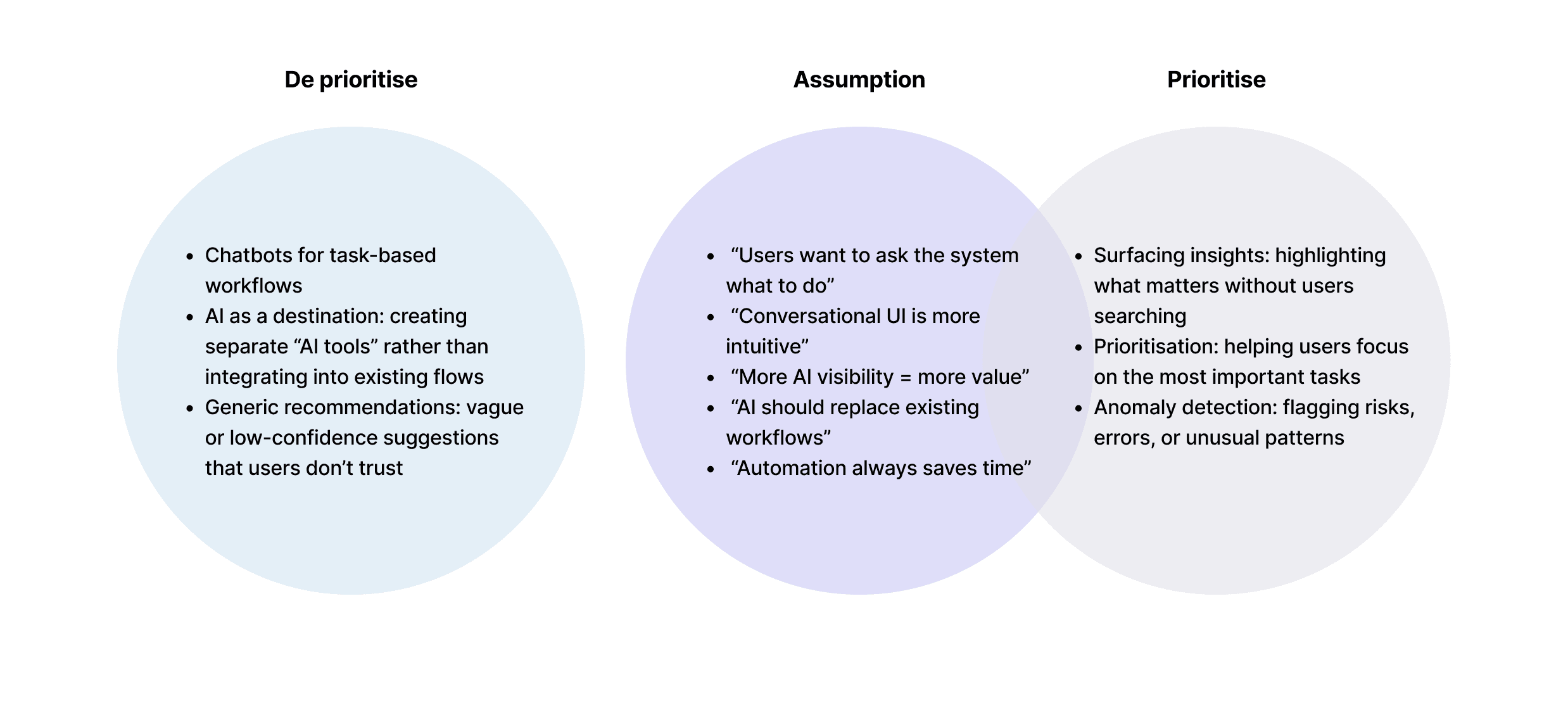
However, getting to this approach required pushing back on more visible, trend-driven ideas. Particularly the introduction of chatbots and AI assistants. While these can be useful in some contexts, research showed they didn’t align with how users worked in financial workflows. Users weren’t looking to “ask” the system what to do. They needed clear prioritisation and immediate insight.
I worked closely with stakeholders to reframe how AI should be applied. and shifting the focus from visible AI features to embedded intelligence. By surfacing the right information at the right time.
Delivering this in a fast moving environment
Defining the right direction for AI was only part of the challenge.
Defining the right direction for AI was only part of the challenge. The next step was translating these principles into something we could realistically build and iterate on.
Working in a fast-moving environment, we needed to balance exploration with delivery. This meant aligning on priorities, validating ideas quickly, and establishing a team structure that could support both speed and complexity.
Delivering on this vision wasn’t just a design challenge. It was finding the right team to fill the gaps. This is where I started setting the foundations for how we design. Something adaptable and system led as shown below.

Balancing hiring & strategy
Issues start surfacing due to time spent hiring and vs the bigger picture.
While building the team, I initially hired an all-rounder designer with the intention of bridging the gap between design and engineering. However, it quickly became clear that the bigger challenge wasn’t execution. It was defining what we should be designing in the first place.
Without strong research depth, the designer often struggled to confidently identify priorities and shape direction, which created additional friction in moving the product forward.
This led to an important realisation: what the team needed at this stage wasn’t a generalist, but someone with stronger research capability. Someone who could operate more autonomously, deeply understand user problems, and translate them into clear design direction without constant guidance.
It reinforced that in early-stage, complex products, clarity of problem definition was more important than delivering. This was where I pivoted hiring towards a Researcher first, Designer second.
Evolving an idea
Iteration and pivoting ideas as tools, and the landscape changes.
The early prototype centred on a “Control Room” concept. A dedicated space where users would manage long lists of automation errors. A key design challenge was prioritisation, as systems could generate thousands of issues at once, making it difficult to surface what mattered most by urgency and impact.
As the design evolved, the introduction of AI shifted this paradigm entirely. Instead of relying on a reactive control room, we moved toward embedding error detection and resolution directly into the automation creation process. This reduced the need for constant monitoring and manual triage, allowing users to identify and resolve issues as they built workflows.
Ultimately, this pivot transformed the experience from a centralised debugging interface into a more proactive, continuous system of error prevention and resolution.

Design that utilises AI
The most effective use of AI wasn’t adding new interfaces. It was removing friction.
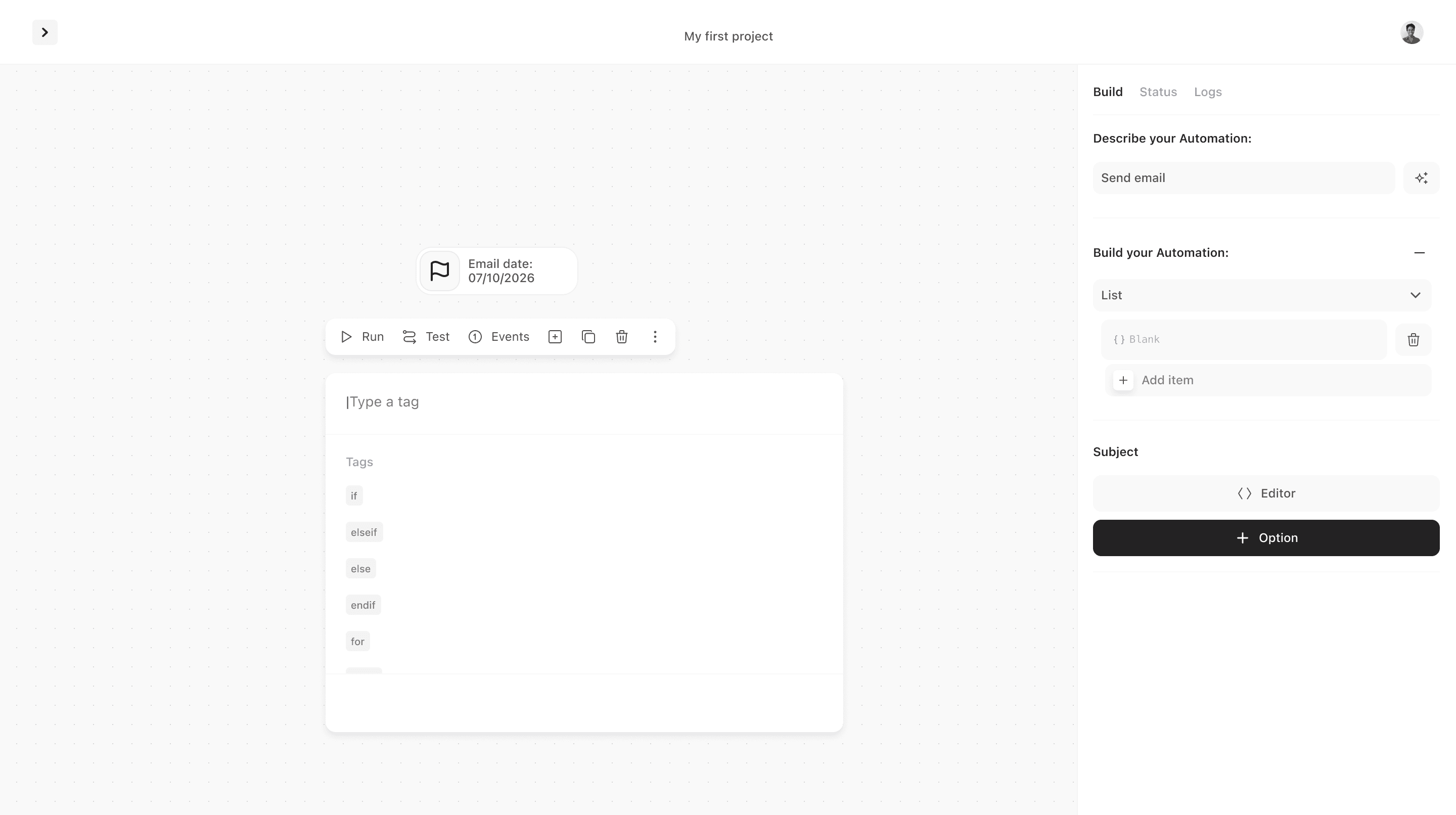
The final direction focused on embedding AI into the areas where users experienced the most friction. Particularly around failure states, risk, and decision-making. Rather than introducing new interfaces, AI was used to surface issues as they occurred, highlight what required attention, and guide users towards the most effective next steps.
This included:
Flagging failures in real time with clear context. Removing the need for a control room where all issues are surfacing whilst building.
Highlighting root causes where possible.
Suggesting or automating next actions to resolve issues.
Onboarding and preventatives.
Key Takeaways
The most effective use of AI wasn’t adding new interfaces. It was removing friction.
By integrating AI into critical moments, the product became more responsive and easier to navigate. Reducing manual investigation and improving user confidence without adding complexity. Working closely with stakeholders helped avoid knee-jerk solutions like chatbots, instead focusing on core user issues. Decisions needed to be grounded in research, focusing on what would have the most meaningful impact for users rather than expanding scope unnecessarily.
Alongside this, building the team in a fast-paced environment brought its own challenges. Hiring to support growth is essential, but it comes with an initial cost. Time spent onboarding, aligning, and building shared understanding. Bringing in too many people at once can slow progress rather than accelerate it.
This reinforced a key principle: hiring should be intentional, not reactive. Rather than adding more designers with similar skill sets, the focus should be on building a balanced team.
Individuals who can take ownership, operate with autonomy, and contribute across different areas when needed.

How do we keep pace with AI while building teams that can deliver?
AI is often framed as a feature but I feel it's real value can be at a system level.
AI is often treated as a feature, but its real impact is at a system level and shaping how products behave, adapt, and support users over time.
While many current approaches focus on visible interfaces like chat or assistants, these can introduce friction by forcing users to change how they work. The future of AI in products is more embedded and less visible: systems that surface what matters without being asked, adapt to context, and support decisions in the moment.
This shifts products from reactive tools to proactive environments, where AI anticipates needs rather than waits for input. For designers, the challenge is deciding when AI should intervene, how it maintains trust, and how it reduces complexity rather than adding to it.